
Snap Spectacles: What It’s Actually Like Wearing the Future On Your Face

I still remember the exact moment I got a pair of Snap Spectacles handed to me at a friend’s apartment in Austin. I put them on expecting a gimmick, something I’d take off after five minutes and forget about. Instead, I spent the next hour walking around his backyard watching a virtual creature climb his fence like it actually belonged there. That was the moment Snap Spectacles stopped being “that Snapchat gadget” in my head and became something I genuinely wanted to understand better.
If you’ve been hearing buzz about the new Snap Spectacles (now officially branded “Specs” for the consumer version) and wondering whether it’s worth caring about, I get it. There’s a lot of noise around smart glasses right now, and most of it doesn’t actually explain what you can do with the thing. So I’m going to walk you through everything I’ve learned, tested, and honestly still find a little confusing, tech-friend to tech-friend.
Thomas’s Experience with Snap Spectacles
Okay, real talk. My first hands-on with Snap Spectacles wasn’t even the new consumer version — it was an older developer unit a friend rented through Snap’s Lens Studio program. Yes, rented. Snap actually charges developers around $99 a month just to get their hands on a dev kit, which honestly surprised me the first time I heard it.
The thing that stuck with me wasn’t the graphics or the AR effects, though those were genuinely cool. It was how natural the hand gestures felt after about ten minutes. I expected to feel silly waving my hands around in someone’s backyard. I did feel silly. But the tracking picked up my movements so quickly that I stopped thinking about the technology and just started playing.
What confused me at first, honestly, was the field of view. I kept turning my head expecting the AR image to “follow” more of my peripheral vision, and it didn’t, because the display only covers a portion of what you actually see. That’s just how waveguide AR displays work right now, but nobody told me that going in, so I want to save you that confusion.
What Are Snap Spectacles, Really?
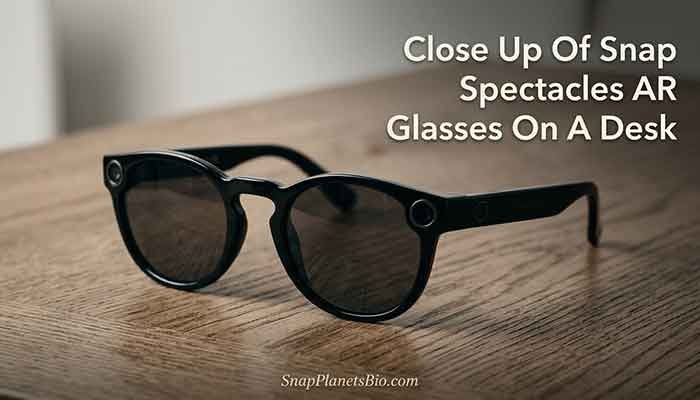
Let’s back up. Snap Spectacles are Snapchat’s line of smart glasses, and they’ve gone through several generations since the very first camera-only version launched back in 2016. For years, the newer generations were developer-only, meaning regular people like you and me couldn’t just buy a pair.
That changed at Augmented World Expo (AWE) 2026, where Snap unveiled its first AR glasses built for the general public rather than developers, rebranded simply as “Specs.” This is technically the sixth generation of the hardware line, but the first one Snap is actually selling to everyday consumers.
Key Specs Worth Knowing
Here’s the breakdown of what’s under the hood, based on Snap’s own announcement:
- Display: A 51-degree field of view using Snap’s proprietary display tech, which the company says is about 30% larger than the previous generation
- Processing: Two Snapdragon chips working together, one for computer vision and one for running the AR “Lenses”
- Battery life: Roughly four hours of mixed use, with the charging case extending that to around 20 hours total
- Build: Swiss TR90 polymer frames, coming in two sizes, and notably lighter than earlier generations
- Lenses: The glasses transition from clear to tinted automatically so you can actually wear them outside
The Price Tag (Brace Yourself)
I’ll be honest with you, this is where a lot of excitement deflates. Snap Spectacles launched at $2,195, with pre-orders opening for a refundable $200 deposit. That’s a steep number for anyone who isn’t a developer, a creator, or a genuine tech enthusiast with money to spend on curiosity. Does that price feel reasonable to you, or does it make you want to wait for gen two?
How Snap Spectacles Connect to Your Snapchat World
This is the part that I think gets lost in a lot of coverage. Snap Spectacles aren’t a totally separate product from your regular Snapchat account. They’re built on Snap OS, which pulls from the same Lens ecosystem that powers filters in the Snapchat app you already use.
Snapchat Plus and Your Glasses
If you’re already paying for Snapchat Plus, you’re already somewhat familiar with Snap’s approach to premium features layered on top of a free product. I expect (and this is my own observation, not a confirmed fact) that some Specs-exclusive features may eventually tie into Snapchat Plus subscriptions, similar to how Snap has bundled perks before. Snap hasn’t confirmed this directly, so take it as an educated guess from someone who’s watched their release patterns for years.
Read More: Leaked Snapchat? Here’s What I Do First (Real Talk)
Getting Lenses Through the Snapchat Store
The “Lenses” you use on Spectacles come from the same creative ecosystem behind the Snapchat Store, Snap’s marketplace-style hub for AR effects and creator tools. Any Snapchat update that improves the Lens Studio platform on your phone tends to ripple outward into what’s available on the glasses too, which is honestly one of the smarter parts of Snap’s whole strategy.
Snap Spectacles vs. The Competition
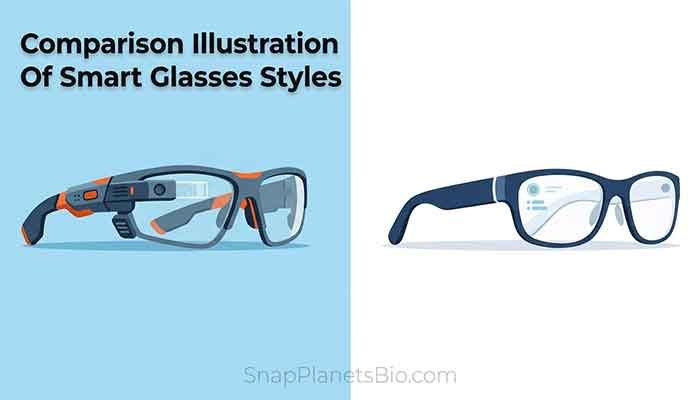
Here’s a quick side-by-side of how Specs stack up against the general category of smart glasses people usually compare them to.
| Feature | Snap Spectacles (Specs) | Typical Camera-First Smart Glasses |
|---|---|---|
| True AR display | Yes, waveguide display | No, camera and audio only |
| Field of view | 51 degrees | Not applicable |
| Battery life | ~4 hrs (20 hrs with case) | Often 4-8+ hrs |
| Price | $2,195 | Usually $300-$500 |
| Hand tracking | Yes | Limited or none |
| Standalone (no phone needed) | Yes | Often phone-dependent |
Frequently Asked Questions
Thomas’s Final Tip
If there’s one thing I’d tell you before jumping into Snap Spectacles, it’s this: go in with realistic expectations about the field of view and battery life. It’s not going to feel like a sci-fi movie the second you put them on, but the hand tracking and Lens ecosystem genuinely impressed me more than I expected. Have you tried any AR glasses yet, or are you still on the fence? Drop your thoughts, and let’s keep this conversation going.