Snapchat Planet Order: What I Learned After Staring at My Friend Solar System Way Too Long
I still remember the night my cousin texted me a screenshot with a tiny green planet next to her name and typed, “wait why am I your Uranus??” I laughed, then panicked a little, because honestly, I didn’t fully know either. That’s the moment I fell down the rabbit hole of the Snapchat Planet Order, and once I understood it, I couldn’t stop explaining it to everyone who asked.
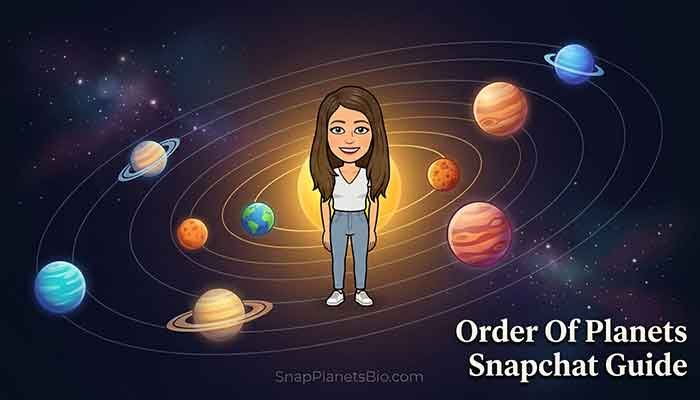
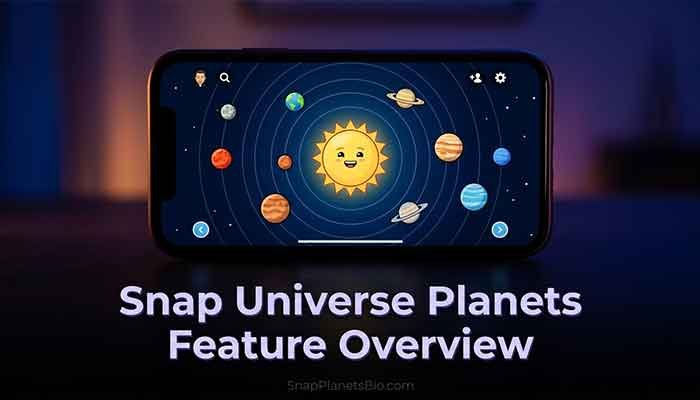
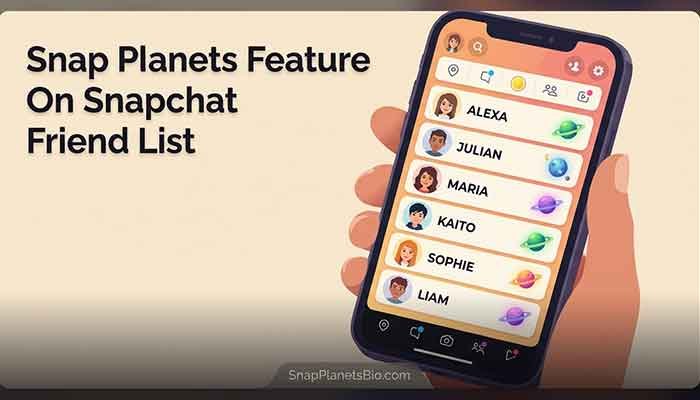
If you’ve opened a friend’s profile and seen a little planet icon sitting there, you’re not imagining things. That’s Snapchat’s Friend Solar System, a Snapchat+ feature that turns your top 8 closest friends into planets orbiting around you, the Sun. And yes, the order matters — a lot more than most people realize.
Have you ever wondered why you’re someone’s Mars but they’re your Mercury? Stick with me, because I’ve tested this feature for months, and I’m going to walk you through exactly how the Snap Planet System works.
Thomas’s Experience with Snapchat Planet Order
Okay, real talk. When I first turned on the Friend Solar System inside my Snapchat+ settings, I expected some flashy animation and nothing else. Instead, I got genuinely curious about my own snapping habits.
My best friend from college showed up as Mercury almost instantly — we snap constantly, so that made sense. But my sister, who I talk to every single day through regular texts, landed way out at Saturn. Honestly, this part confused me at first. I thought the planets tracked overall closeness, but they don’t. They track Snapchat-specific activity: snaps, chats, streaks. My sister and I just don’t use Snapchat much with each other, even though we’re close in real life.
Here’s the part that really stuck with me. Over about six weeks, I made a small effort to snap my cousin more often instead of just texting her. I watched her planet move from Uranus to Venus. It wasn’t instant — there was a noticeable lag, sometimes a few days — but the movement was real. That’s when I realized the Snapchat Planets Order isn’t some random badge. It’s an actual reflection of your interaction frequency, updated on Snapchat’s own schedule, not yours.
My honest takeaway? Don’t take your planet ranking too personally. It measures app behavior, not friendship value. But if you’re curious about who you actually snap the most, it’s a pretty accurate mirror.
What Is the Snapchat Friend Solar System, Exactly?
The Friend Solar System is a Snapchat+ exclusive feature. If you don’t have Snapchat+, you won’t see planets on your profile or anyone else’s. You are placed at the center as the Sun, and your top 8 most-interacted-with friends orbit around you as planets.
The closer a planet sits to the Sun, the more snaps, chats, and story replies you’re exchanging with that person.
Who Can See It
- Only Snapchat+ subscribers can activate the feature
- It’s off by default — you have to manually enable it in your settings
- Your planet rankings are private; nobody else can see how you’ve ranked them
- Each person’s solar system is separate, so you might be someone’s Mercury while they’re your Neptune
Read More: Snapchat Best Friend List Planets: My Honest Guide
The Complete Snapchat Planet Order
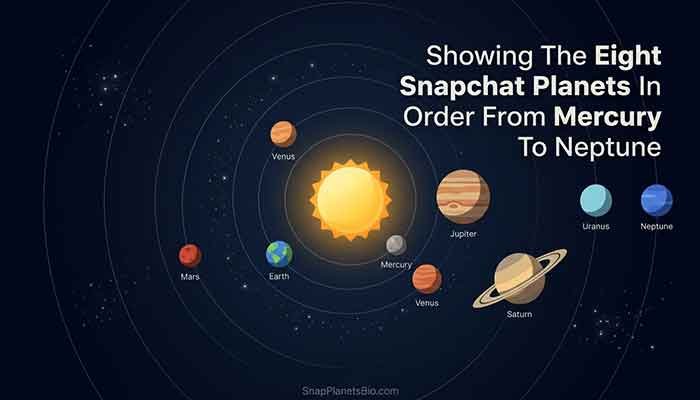
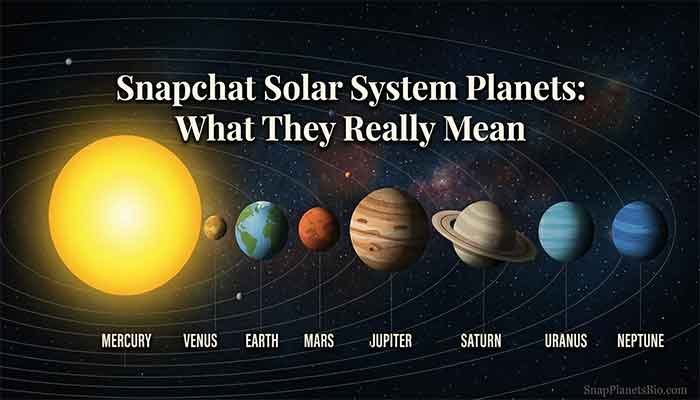
This is the part everyone actually searches for, so let’s get straight into it. The Snapchat Planets Order mirrors our real solar system exactly, starting closest to the Sun and working outward.
| Position | Planet | Meaning |
|---|---|---|
| #1 | Mercury | Your closest friend, most snaps/chats exchanged |
| #2 | Venus | Second closest friend |
| #3 | Earth | Third closest friend |
| #4 | Mars | Fourth closest friend |
| #5 | Jupiter | Fifth closest friend |
| #6 | Saturn | Sixth closest friend |
| #7 | Uranus | Seventh closest friend |
| #8 | Neptune | Eighth closest friend, edge of your top 8 |
So if you’re wondering about the full Solar System Planets In Order Snapchat uses, that’s it — Mercury through Neptune, eight spots total, no Pluto (sorry, Pluto fans).
How the Ranking Actually Gets Calculated
From what I’ve observed, the algorithm leans on:
- How many snaps you send and receive with someone
- Chat frequency (not just snaps)
- Story replies
- Streak activity
You can’t manually drag a friend into a different planet slot. The only way to shift someone’s position is to genuinely change how often you interact with them — which, honestly, I think is a nice subtle nudge to actually talk to people more.
Read More:
Common Myths I Had to Unlearn
When I first got into this, I assumed a bunch of things that turned out to be wrong. Does this sound familiar?
- Myth: Your Snap Score determines your planet. Reality: Nope, planets are calculated per-friendship, separate from your overall Snap Score.
- Myth: Planets update instantly. Reality: There’s a delay, sometimes a few days, before rankings refresh.
- Myth: If both of you have Snapchat+, you’ll see the same planet for each other. Reality: Each solar system is independent. I could be your Mercury while you’re my Saturn.
Getting Started: Snapchat Download For Samsung

If you’re on a Samsung phone and haven’t set this up yet, grabbing Snapchat is straightforward through the Google Play Store — just search “Snapchat,” install, and log in. Once you’re in, you’ll need a Snapchat+ subscription to unlock the Friend Solar System, then flip the feature on manually inside your settings menu, since it stays off by default even after you subscribe.
FAQ: Snapchat Planet Order
Thomas’s Final Tip
Don’t stress over your planet ranking. Use it as a fun little check-in on your Snapchat habits, not a measure of how much someone actually cares about you. If you want to climb someone’s Snap Planet System, the fix is simple: snap them more, chat more, keep the streak alive.
Curious where you land in a friend’s orbit? Fire up Snapchat+, flip on the Friend Solar System, and see for yourself — then let me know which planet surprised you the most.