Snapchat Planets: Everything I’ve Learned About Snap Planets (From a Guy Who’s Obsessed With This App)
I still remember the exact moment I saw a tiny planet icon pop up next to my best friend’s name on Snapchat. I stared at my screen for a solid ten seconds like, “Wait, since when did my friend list turn into a science class?” I didn’t even open Snapchat that morning expecting a lesson in astronomy. I just wanted to send a quick streak-saving snap before running out the door with my coffee.
That little icon sent me down a rabbit hole. I texted three friends asking if they saw it too. Two of them had no idea what I was talking about. One of them said, “Oh yeah, that’s Snap Planets, it’s been rolling out for a while.” That was the moment I realized I needed to actually understand this feature instead of just squinting at my screen every time a new planet showed up.
If you’re here because you typed something like “snap planets” or “snapchat planets” into Google with a slightly confused look on your face, I get it. That was me a few weeks ago. So let’s talk about what this feature actually is, how it works based on what I’ve personally observed, and why it’s honestly kind of a fun addition to an app I already spend way too much time on.
Have you noticed a planet next to someone’s name and immediately assumed it meant something dramatic, like they’re about to unfriend you? Don’t worry, I thought the same thing at first.
What Are Snap Planets, Really?
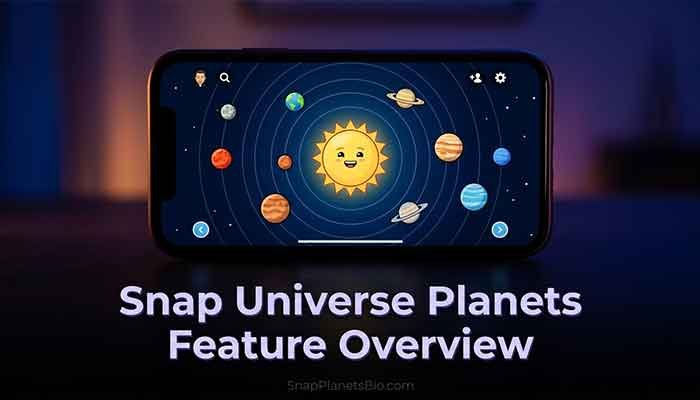
Snap Planets (also called Snapchat Planets) is a visual feature Snapchat rolled out that assigns you and your friends little planet icons based on your interaction level with each other. Think of it like a mini solar system where you’re the sun, and the people you talk to most are the planets closest to you.
The idea, from what I’ve gathered by actually using it and reading through Snapchat’s own explanations, is to give a fun, visual way to see who you’re closest with on the app, similar in spirit to the old Best Friends emoji system, just dressed up in a much cooler, space-themed outfit.
Here’s the thing I want to be upfront about: Snapchat hasn’t published a super detailed technical breakdown of the exact algorithm behind planet assignment, and some details seem to still be evolving as they roll this out to more users. So some of what I’ll share here is based on my own testing and pattern-spotting, not an official manual. I’ll be clear when I’m speculating versus stating something Snapchat has confirmed.
I also want to mention something that took me a minute to wrap my head around: this isn’t a single, static badge you get once and keep forever. It behaves more like a living snapshot of your current Snapchat habits. That’s actually what makes it interesting to me as someone who’s used this app for years. Most features either stay the same forever (like your username) or change once in a blue moon (like your Bitmoji outfit, if you’re lazy about updating it like I am). Snap Planets feels different because it’s quietly reacting to your behavior in the background, whether you’re paying attention or not.
Read More: Snapchat Planet Order Explained: Mercury to Neptune (2026)
Why Snapchat Even Built This Feature
Honestly, my first reaction was “why do we need planets? Wasn’t the emoji system enough?” But after using it for a while, I get the appeal. Gen Z and younger Snapchat users love visual, shareable, slightly gamified features. Streaks did this. Snap Score did this. Bitmoji did this. Planets fits right into that pattern; it turns your friendships into something you can visually track and, let’s be honest, kind of brag about.
Does this sound familiar? You’ve probably seen someone post a screenshot bragging about their Snap Score or their streak count. Planets are just the next version of that same social currency.
There’s also a practical side to this that I didn’t appreciate until I thought about it more. Snapchat friend lists can get huge. I personally have a few hundred people on mine, and honestly, I couldn’t tell you the interaction history with most of them off the top of my head. A visual system like this gives you an instant, at-a-glance way to see who actually matters in your day-to-day app usage, without having to scroll through message history or try to remember the last time you snapped someone. In that sense, I think it’s a smart, low-effort way for Snapchat to surface information that was always there, just buried.
I’ll also say, from a company standpoint, features like this tend to boost engagement. If people are curious about where they land in a friend’s solar system, or curious about improving their own position, they’re going to open the app more and snap more often. I don’t think that’s a bad thing necessarily, but it’s worth noting that a feature like this isn’t purely for user delight. It also nudges you toward more frequent app usage, which benefits Snapchat too. I’m not saying that cynically, just being real about how these things usually work.
My Personal Experience with Snap Planets

I want to actually walk you through what happened when I dug into this myself, because reading a feature description online is nothing like watching it play out in your own friend list.
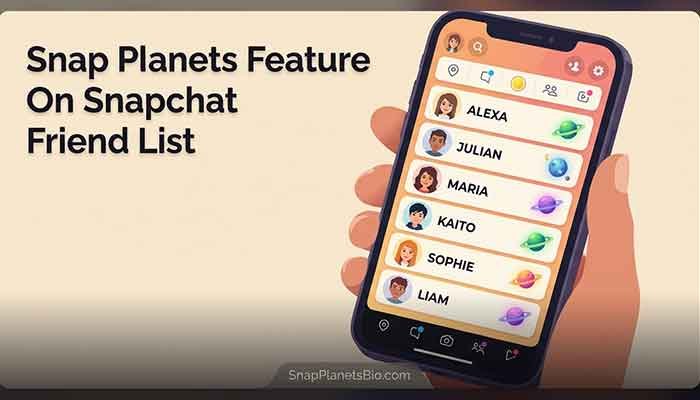
About three weeks ago, I opened my Snapchat friend list (which, if you don’t know how to find, is under your profile icon) and started scrolling through names I hadn’t really paid attention to before. That’s when I noticed something interesting: my two closest friends, the ones I snap constantly throughout the day, had planet icons that looked closer to a “sun” position, while people I barely talk to had icons further out, resembling something like Neptune or Uranus.
I decided to run a small experiment. I started snapping one specific friend way more than usual for about five days straight, just quick photos, random thoughts, nothing deep. By day four, I noticed her planet icon had visibly shifted. It moved from what looked like a mid-distance planet to something closer in, more like Mercury or Venus territory.
Honestly, this part confused me at first, because I expected an instant change after just one or two snaps. It didn’t work that way. It seemed to require a consistent pattern over several days, not just a single burst of activity. That told me the system is likely looking at sustained interaction rather than one-off spikes, though again, I want to be careful here. Snapchat hasn’t given me (or anyone publicly, as far as I’ve seen) the exact formula, so this is my observation, not a confirmed fact.
The other thing I noticed, and this genuinely surprised me, is that a friend I talk to daily through text but rarely snap directly still showed up as a “farther” planet. That reinforced something I suspected: this feature seems to track in-app Snapchat activity specifically, not your overall relationship with someone. Makes sense, since Snapchat can’t see your iMessage history, but it was still a good reminder that Snap Planets reflects your Snapchat behavior, not your real-life closeness.
I’ll admit, there was a slightly weird moment when a friend and I chatted, and she casually asked, “Wait, are we still like a close planet or did I get demoted?” We both laughed about it, but it made me realize this feature has genuinely become a small social signal among people I know. It’s not just a background stat nobody looks at.
I got curious enough to run a second, slightly different test. This time, I picked a friend I hadn’t snapped in probably two months, a guy from my old job who I still text occasionally but rarely open Snapchat with. His planet position was, unsurprisingly, way out on the edge, somewhere in Uranus or Neptune territory. I sent him a handful of random snaps over the course of a week, nothing forced, just normal stuff like a photo of my lunch or a quick reaction to something he posted on his story. By the end of the week, his icon had moved inward, though not as dramatically as my first experiment with a friend I was already snapping semi-regularly.
That difference told me something worth sharing: it seems like the system doesn’t just care about your most recent activity, it also factors in some kind of baseline history. Someone you’ve had zero contact with for months seems to need more sustained effort to move inward compared to someone you already interact with occasionally. Again, I want to be careful not to overstate this as confirmed fact, since Snapchat hasn’t laid out the mechanics publicly in detail. But as someone who’s actually run these mini experiments on my own account, this is the pattern I noticed.
One more small thing I picked up on: group chats didn’t seem to move the needle much on individual planet positions. I’m in a group chat with about six friends where we’re constantly sending memes and voice notes back and forth, but that group activity didn’t seem to meaningfully shift my one-on-one planet status with any single person in that chat. It really does seem tied to direct, one-on-one interaction rather than group participation, which honestly makes sense if the goal is to measure closeness between two specific people.
How the Snap Planet Order Actually Works
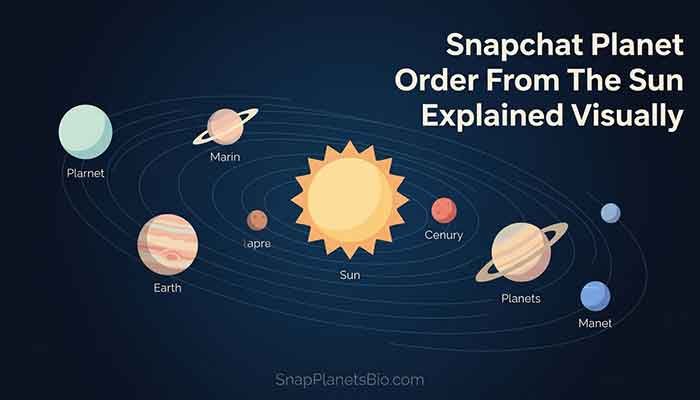
This is probably the part you’re most curious about, since a huge chunk of people search specifically for the snapchat planet order or the order of planets on Snapchat.
Based on my testing and what I’ve seen echoed by other users online, here’s the general pattern I’ve noticed:
- You are the “sun” at the center of your own mini system.
- Closer planets (like Mercury or Venus) tend to represent friends you interact with most frequently and recently.
- Mid-distance planets represent friends with moderate, semi-regular interaction.
- Outer planets (Uranus, Neptune) tend to show up for friends you rarely snap or haven’t interacted with in a while.
I want to stress again that this seems based on Snapchat’s internal interaction scoring, and the exact planet-to-person assignment logic isn’t something Snapchat has fully detailed publicly. So if your friend list doesn’t match someone else’s pattern exactly, that’s normal. It’s personalized to your own activity, not a universal ranking system everyone sees the same way.
Does the Order Change Over Time?
Yes, from what I’ve personally tracked. Just like my experiment showed, planet positions seem to shift as your snapping habits shift. If you go from talking to someone daily to going quiet for a couple of weeks, don’t be surprised if their planet drifts further out. I noticed this happen with an old college roommate I used to snap constantly. We drifted apart in real life, and sure enough, her planet drifted out too. Kind of poetic, honestly.
The Full List of Snapchat Planets (In Order)
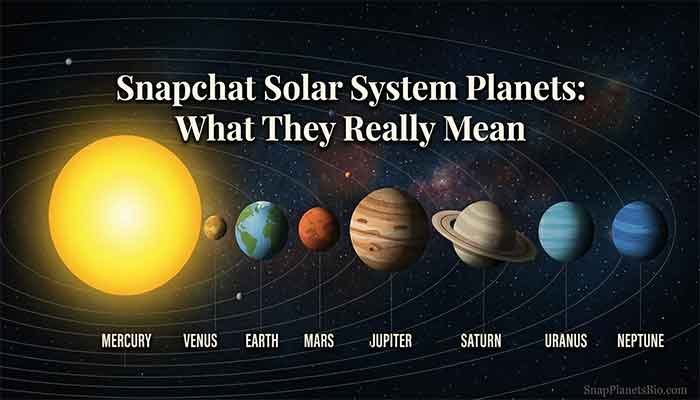
A lot of people search for the snapchat planet list wanting a clean, simple breakdown. Here’s the general order based on our actual solar system, which Snapchat appears to be modeling this feature after:
- Mercury
- Venus
- Earth
- Mars
- Jupiter
- Saturn
- Uranus
- Neptune
From what I’ve observed, the closer planets in this list tend to correspond to your closest, most active Snapchat friends, while the further ones represent lower interaction. I want to be clear though, I haven’t seen an official Snapchat document confirming a strict 1-to-1 mapping for every single position, so treat this as a helpful general guide rather than a rigid rulebook.
Snap Planets vs. the Old Best Friends Emoji System
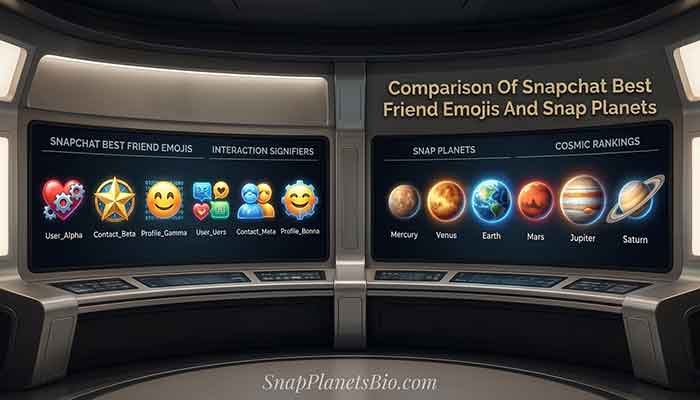
If you’ve used Snapchat for a while, you probably remember the emoji system: gold hearts, yellow hearts, the smirking face, and so on. I wanted to break down how Snap Planets compares, because a lot of long-time users (myself included) initially wondered if this was replacing the emojis entirely.
| Feature | Best Friends Emojis | Snap Planets |
|---|---|---|
| Visual Style | Small emoji icons (hearts, faces) | Planet icons based on our solar system |
| What It Tracks | Mutual snap frequency and streaks | Interaction level and recency (based on my observation) |
| Changes Over Time | Yes, based on activity | Yes, appears to shift gradually with sustained activity |
| Publicly Documented Algorithm | Partially explained by Snapchat | Not fully detailed publicly as of now |
| Feels Gamified? | Somewhat | Very much so, in my experience |
| Coexists With Other System | N/A | Appears to run alongside emojis, not replace them |
Honestly, I like that Snapchat didn’t just kill the emoji system. Having both feels like getting extra data points about your friendships instead of losing something familiar.
What Snap Planets Might Mean for Your Friendships (My Honest Take)
Okay, here’s where I’ll share a genuine opinion, not just an explanation. I think this feature is fun, but I also think it has a small potential downside worth mentioning.
On one hand, it’s a lighthearted, visual way to see who you’re closest with. It gamifies something that was already happening anyway (your snap frequency), so there’s no real new pressure being created, just a new way to visualize existing behavior.
On the other hand, I’ve already seen it create tiny moments of social awkwardness, like my friend joking about being “demoted.” If you’re someone who tends to overthink social dynamics, seeing a friend’s planet drift outward might feel more personal than it should. My honest advice? Don’t read too much into it. It’s a snapshot of app activity, not a verdict on your friendship.
Have you ever felt a weird pang of “wait, why did their icon change” over something objectively pretty minor? I definitely have, and I try to remind myself it’s just an app feature, not a friendship report card.
There’s also a broader point I keep coming back to. A lot of us already quietly track social hierarchy in our heads, who texts back fastest, who initiates plans, who remembers small details. Snap Planets just makes one narrow slice of that visible in a literal, visual way. I don’t think that’s necessarily harmful, but I do think it’s worth being self-aware about. If I notice myself checking someone’s planet position obsessively, that’s usually a sign I should just talk to them directly instead of reading tea leaves from an app icon.
On the flip side, I’ve genuinely used this feature in a positive way too. Seeing an old friend drift out to Neptune actually prompted me to reach out and catch up, which led to an actual real conversation we probably wouldn’t have had otherwise. So depending on how you use it, this feature can either fuel unnecessary overthinking or gently nudge you toward reconnecting with people who matter. I’d rather use it for the second reason.
How to Check Your Own Snap Planets
If you haven’t looked yet, here’s what I did to find mine:
- Open Snapchat and tap your Bitmoji/profile icon in the top left.
- Go to your friend list.
- Look next to friends’ names for the small planet icons.
- Tap on a friend’s profile to see more detail about your interaction, if available.
Keep in mind, this feature has been rolling out gradually, so if you don’t see planets yet, it might not have reached your account version or region. I didn’t see mine until a Snapchat update pushed it to my device, so patience helps here.
Snap Planets and Snapchat+ (Premium Features)
I’ve seen some search interest around whether planets are tied to Snapchat’s premium subscription, Snapchat+. From what I’ve used personally, the core Snap Planets feature itself appears to be part of the general Snapchat experience, not locked exclusively behind a paywall. However, Snapchat+ does unlock other friendship-related insights and customization options in the app more broadly.
I’ll be honest, I haven’t tested every single premium feature myself, so if you’re specifically trying to figure out whether a particular planet-related detail requires Snapchat+, I’d recommend checking directly within your account settings, since subscription features do shift over time.
Tips If You Want to Move Closer to Someone’s Sun
If you’re the type of person who wants to actually improve your position (no judgment, I’ve been there), here’s what seemed to work for me based on my own testing:
Be Consistent, Not Just Frequent
Sending twenty snaps in one hour and then going silent for a week didn’t seem to help nearly as much as sending a handful of snaps spread out consistently over several days. The system seems to reward steady interaction more than short bursts.
Prioritize Direct Snaps Over Chat Messages
I noticed that plain text chats didn’t seem to have the same effect as actual snaps (photos or videos). If you’re mostly texting someone through the chat feature without sending visual snaps, don’t be surprised if their planet doesn’t shift much. This lines up with the fact that the feature is called “Snap” Planets, not “Chat” Planets, so it makes sense the core snap-sending behavior is what’s being tracked.
Two-Way Interaction Matters
From what I could tell, it’s not just about how much you snap someone, it also matters whether they’re snapping you back. One-sided snapping (where you send constantly but they rarely respond) didn’t seem to move things as fast as genuine back-and-forth interaction. That tracks with the whole idea of measuring closeness, since a real friendship goes both ways.
Don’t Expect Overnight Results
I want to manage expectations here. This isn’t like a video game stat that updates instantly. Based on my five-day and seven-day experiments, changes seemed to take several days of consistent activity to visibly show up. If you’re hoping for an instant jump after one snap, you’ll probably be disappointed.
Why Some Friends Don’t Show a Planet At All
This one puzzled me for a bit. A few names on my friend list simply didn’t have any planet icon next to them at all, no Mercury, no Neptune, nothing. After digging into it and comparing notes with other users, my best guess (and I want to stress this is speculation, not confirmed by Snapchat) is that this happens with friends you have extremely minimal or zero recent interaction with. It’s possible the system only assigns a visible planet once there’s enough interaction data to work with, rather than defaulting everyone to the furthest planet automatically.
If you’re seeing this with certain friends on your own list, I wouldn’t worry about it. It likely just reflects genuinely low or nonexistent recent activity with that person, rather than a bug or glitch.
How Snap Planets Fits Into Snapchat’s Bigger Picture
Zooming out a bit, I think it’s worth talking about how this feature fits into everything else Snapchat has been building over the past few years. Snapchat has slowly shifted from being just a disappearing-photo app into something closer to a full social ecosystem, with Snap Score, Bitmoji, Snap Maps, Streaks, and now Snap Planets all working together to create this layered sense of social status and connection.
What I find genuinely clever about Planets specifically is that it doesn’t require any extra effort from users. You don’t have to opt in, set anything up, or manually rank your friends. It just quietly runs in the background based on behavior you’re already engaging in. Compare that to something like Snap Maps, where you have to actively choose to share your location, and Planets feels a lot more passive and low-friction by comparison.
I also think it’s a smart move for keeping younger users engaged, since this age group tends to respond well to visual, game-like social feedback loops. Whether or not you personally love the idea of your friendships being visualized as a solar system, it’s hard to deny it’s a clever, on-brand way for Snapchat to keep people checking the app.
Common Questions About Snap Planets
Since I’ve talked to a bunch of confused friends (and been confused myself), here are the questions I keep hearing.
Thomas’s Final Tip
If there’s one thing I’d tell you after spending way too many hours obsessing over tiny planet icons, it’s this: don’t stress over where you or your friends land in the system. Snap Planets is a fun little mirror of your existing habits, not a scoreboard worth losing sleep over. Use it as a nudge to reconnect with people who’ve drifted to your outer planets, not as a source of social anxiety.
If you found this rundown helpful, drop a comment letting me know what your closest Snap Planet looks like right now, I’m genuinely curious how consistent this pattern is across different friend groups. And if you’re diving deeper into specific parts of this feature, check out the related guides linked below for more focused breakdowns.